


















• About Us
  • Contact Us
  • Editorial Calendar
  • Careers
  • The Cyber Express by Cyble Vulnerability Disclosure Policy
  • Cyble Trust Portal
The Cyber Express
  • MagazineDownload
  • Firewall Daily
    • All
    • Bug Bounty & Rewards
    • Dark Web News
    • Data Breach News
    • Hacker News
    • Ransomware News
    • Vulnerabilities
    Gulf cybersecurity

    Iran Crisis Highlights Rising Gulf Cybersecurity Risks to Critical Infrastructure

    TotalRecall

    Microsoft Recall Flaw Exposes Decrypted User Data, Researchers Find

    KYC Rules for Robocalls

    FCC Proposes Tougher KYC Rules to Crack Down on Illegal Robocalls

    GitLab security update

    GitLab Security Update Fixes High-Severity CVE-2026-5173, 11 Other Flaws

    digital asset cybersecurity initiative

    U.S. Treasury Rolls Out Cybersecurity Information Sharing Initiative as Crypto Attacks Rise

    UNC6783, BPO, Google Threat Intelligence Group, Okta, Help Desk, Phishing

    UNC6783 Turns BPO Providers into Cyberattack Gateways

    SOHO router

    Russian Hackers Exploit SOHO Routers for DNS Hijacking Campaign

    Signature Healthcare cyberattack

    Signature Healthcare Cyberattack Causes Service Disruptions, Treatment Delays

    Bitcoin Depot cyberattack

    Bitcoin Depot Discloses $3.6 Million Crypto Theft Following System Breach

    Trending Tags

    • blackbyte ransomware
    • Ransomware
    • lapsus$ ransomware
    • Apple
    • Apple vulnerability
  • Essentials
    • All
    • Compliance
    • Governance
    • Policy Updates
    • Regulations
    KYC Rules for Robocalls

    FCC Proposes Tougher KYC Rules to Crack Down on Illegal Robocalls

    digital asset cybersecurity initiative

    U.S. Treasury Rolls Out Cybersecurity Information Sharing Initiative as Crypto Attacks Rise

    phishing emails cyberattacks

    75% of Cyberattacks Start with Phishing Emails, UAE Cyber Council Says

    AVrecon, AVrecon Malware, Home Router, FBI, SocksEscort, Proxy Network

    FBI Warns of AVrecon Malware Targeting Network Devices Across 163 Countries

    Axios npm Supply Chain Attack, Supply Chain Attack, Axios, npm Package, GTIG, CTI, North Korea, Lazarus Group, Lazarus

    North Korea’s Lazarus Group Behind the Axios npm Supply Chain Attack

    CERT-UA, AGEWHEEZE, RAT, Remote Access Trojan, Government, Hospitals

    Hackers Impersonate Ukrainian CERT to Plant a RAT on Government, Hospital Networks

    Russian information operation

    Latvia Warns of Disinformation Campaign Targeting Baltic States

    Black Friday discounts

    30% of Retailers Fail to Show Accurate Discounts, EU Probe Reveals

    DSA child protection investigation

    Snapchat Faces EU Child Safety Probe Under Digital Services Act

    • Regulations
    • Compliance
    • Governance
    • Policy Updates
  • Knowledge Hub
    • All
    • How to
    • What is
    Google Chrome

    How to Remove Saved Passwords From Google Chrome (And Why You Should)

    DPDP Rules, Cyble, DPDP Act, Cyble Vantage

    How Cyble’s Front-Row Vantage Can Help You in Complying to India’s DPDP Act

    Cybersecurity Countries

    The Top 8 Countries Leading the Cyber Defense Race in 2025

    link building

    The Link Building Secrets Your Competitors Don’t Want You to Know

    Supply Chain Attack

    Supply Chain Resilience and Physical Security: Lessons for 2025

    Healthcare cybersecurity trends of 2024

    Healthcare Cybersecurity: 2024 Was Tough, 2025 May Be Better

    CEO's Guide to Take-Down Services

    Shield Your Organization: CEO’s Perspective on Take-Down Services

    Azure sign-in Microsoft

    Microsoft Announces Mandatory MFA for Azure Sign-ins to Bolster Cloud Defenses

    Signal Proxy, Signal, Signal Ban in Russia, Signal Ban in Venezuela, Bypass Signal Ban, How to Activate Signal Proxy, Signal Proxy Server

    How to Set Up Signal Proxy to Help Bypass Censorship in Russia and Venezuela

  • Features
    • Cyber Warfare
    • Espionage
    • Workforce
      • Learning & Development
  • Business
    • All
    • Appointments
    • Budgets
    • Mergers & Aquisitions
    • Partnerships
    • Press Release
    • Startups
    AI Chip, Chip Security Act

    Congress Wants a GPS Tracker on Every Advanced AI Chip America Exports

    Fraud, Agentic AI

    Agentic AI Run Fraud Campaigns Earning 4.5 Times More: Interpol

    Stryker, Stryker Cyberattack, CISA, Handala

    Stryker Says Cyberattack Disrupted Processing, Manufacturing and Shipping

    INC Ransom, Western Critical Infrastructure, Critical infrastructure, Russian GRU, Russian Threat Actor, Sandworm, APT44, Energy Supply Chain, Energy Infrastructure

    INC Ransom’s Franchise Model Is Putting Critical Infrastructure on the Chopping Block

    Terrorist Cyberattacks, UAE Cyber Security Council

    UAE Blocked AI-Powered Terrorist Cyberattacks Targeting Critical Infrastructure

    Eurail Breach, Eurail

    Eurail Breach Escalates as Stolen Passport Data and IBANs Surface on Dark Web for Sale

    Discord teen-by-default settings

    Discord Introduces Stronger Teen Safety Controls Worldwide

    The Cyber Express cybersecurity roundup

    The Cyber Express Weekly Roundup: FortiOS Exploits, Ransomware, Hacktivist Surge, and EU Telecom Rules

    Nicole Ozer appointment

    Nicole Ozer Joins CPPA to Drive Privacy and Digital Security Initiatives

    • Startups
    • Mergers & Aquisitions
    • Partnerships
    • Appointments
    • Budgets
    • Research
      • Whitepapers
      • Sponsored Content
      • Market Reports
    • Interviews
      • Podcast
  • Events
    • Conference
    • Webinar
    • Endorsed Events
  • Advisory Board
No Result
View All Result
  • MagazineDownload
  • Firewall Daily
    • All
    • Bug Bounty & Rewards
    • Dark Web News
    • Data Breach News
    • Hacker News
    • Ransomware News
    • Vulnerabilities
    Gulf cybersecurity

    Iran Crisis Highlights Rising Gulf Cybersecurity Risks to Critical Infrastructure

    TotalRecall

    Microsoft Recall Flaw Exposes Decrypted User Data, Researchers Find

    KYC Rules for Robocalls

    FCC Proposes Tougher KYC Rules to Crack Down on Illegal Robocalls

    GitLab security update

    GitLab Security Update Fixes High-Severity CVE-2026-5173, 11 Other Flaws

    digital asset cybersecurity initiative

    U.S. Treasury Rolls Out Cybersecurity Information Sharing Initiative as Crypto Attacks Rise

    UNC6783, BPO, Google Threat Intelligence Group, Okta, Help Desk, Phishing

    UNC6783 Turns BPO Providers into Cyberattack Gateways

    SOHO router

    Russian Hackers Exploit SOHO Routers for DNS Hijacking Campaign

    Signature Healthcare cyberattack

    Signature Healthcare Cyberattack Causes Service Disruptions, Treatment Delays

    Bitcoin Depot cyberattack

    Bitcoin Depot Discloses $3.6 Million Crypto Theft Following System Breach

    Trending Tags

    • blackbyte ransomware
    • Ransomware
    • lapsus$ ransomware
    • Apple
    • Apple vulnerability
  • Essentials
    • All
    • Compliance
    • Governance
    • Policy Updates
    • Regulations
    KYC Rules for Robocalls

    FCC Proposes Tougher KYC Rules to Crack Down on Illegal Robocalls

    digital asset cybersecurity initiative

    U.S. Treasury Rolls Out Cybersecurity Information Sharing Initiative as Crypto Attacks Rise

    phishing emails cyberattacks

    75% of Cyberattacks Start with Phishing Emails, UAE Cyber Council Says

    AVrecon, AVrecon Malware, Home Router, FBI, SocksEscort, Proxy Network

    FBI Warns of AVrecon Malware Targeting Network Devices Across 163 Countries

    Axios npm Supply Chain Attack, Supply Chain Attack, Axios, npm Package, GTIG, CTI, North Korea, Lazarus Group, Lazarus

    North Korea’s Lazarus Group Behind the Axios npm Supply Chain Attack

    CERT-UA, AGEWHEEZE, RAT, Remote Access Trojan, Government, Hospitals

    Hackers Impersonate Ukrainian CERT to Plant a RAT on Government, Hospital Networks

    Russian information operation

    Latvia Warns of Disinformation Campaign Targeting Baltic States

    Black Friday discounts

    30% of Retailers Fail to Show Accurate Discounts, EU Probe Reveals

    DSA child protection investigation

    Snapchat Faces EU Child Safety Probe Under Digital Services Act

    • Regulations
    • Compliance
    • Governance
    • Policy Updates
  • Knowledge Hub
    • All
    • How to
    • What is
    Google Chrome

    How to Remove Saved Passwords From Google Chrome (And Why You Should)

    DPDP Rules, Cyble, DPDP Act, Cyble Vantage

    How Cyble’s Front-Row Vantage Can Help You in Complying to India’s DPDP Act

    Cybersecurity Countries

    The Top 8 Countries Leading the Cyber Defense Race in 2025

    link building

    The Link Building Secrets Your Competitors Don’t Want You to Know

    Supply Chain Attack

    Supply Chain Resilience and Physical Security: Lessons for 2025

    Healthcare cybersecurity trends of 2024

    Healthcare Cybersecurity: 2024 Was Tough, 2025 May Be Better

    CEO's Guide to Take-Down Services

    Shield Your Organization: CEO’s Perspective on Take-Down Services

    Azure sign-in Microsoft

    Microsoft Announces Mandatory MFA for Azure Sign-ins to Bolster Cloud Defenses

    Signal Proxy, Signal, Signal Ban in Russia, Signal Ban in Venezuela, Bypass Signal Ban, How to Activate Signal Proxy, Signal Proxy Server

    How to Set Up Signal Proxy to Help Bypass Censorship in Russia and Venezuela

  • Features
    • Cyber Warfare
    • Espionage
    • Workforce
      • Learning & Development
  • Business
    • All
    • Appointments
    • Budgets
    • Mergers & Aquisitions
    • Partnerships
    • Press Release
    • Startups
    AI Chip, Chip Security Act

    Congress Wants a GPS Tracker on Every Advanced AI Chip America Exports

    Fraud, Agentic AI

    Agentic AI Run Fraud Campaigns Earning 4.5 Times More: Interpol

    Stryker, Stryker Cyberattack, CISA, Handala

    Stryker Says Cyberattack Disrupted Processing, Manufacturing and Shipping

    INC Ransom, Western Critical Infrastructure, Critical infrastructure, Russian GRU, Russian Threat Actor, Sandworm, APT44, Energy Supply Chain, Energy Infrastructure

    INC Ransom’s Franchise Model Is Putting Critical Infrastructure on the Chopping Block

    Terrorist Cyberattacks, UAE Cyber Security Council

    UAE Blocked AI-Powered Terrorist Cyberattacks Targeting Critical Infrastructure

    Eurail Breach, Eurail

    Eurail Breach Escalates as Stolen Passport Data and IBANs Surface on Dark Web for Sale

    Discord teen-by-default settings

    Discord Introduces Stronger Teen Safety Controls Worldwide

    The Cyber Express cybersecurity roundup

    The Cyber Express Weekly Roundup: FortiOS Exploits, Ransomware, Hacktivist Surge, and EU Telecom Rules

    Nicole Ozer appointment

    Nicole Ozer Joins CPPA to Drive Privacy and Digital Security Initiatives

    • Startups
    • Mergers & Aquisitions
    • Partnerships
    • Appointments
    • Budgets
    • Research
      • Whitepapers
      • Sponsored Content
      • Market Reports
    • Interviews
      • Podcast
  • Events
    • Conference
    • Webinar
    • Endorsed Events
  • Advisory Board
No Result
View All Result
The Cyber Express
No Result
View All Result
Home Knowledge Hub How to

How to Backup iPhone to Cloud: A Complete Guide (2024 Update)

Worried about losing your iPhone data? Learn How to Backup iPhone to Cloud using iCloud Backup and iTunes. Discover the best method, backup frequency

Editorial by Editorial
June 10, 2024
in How to
0
How to Back Up iPhone to Cloud Using iCloud Backup
737
SHARES
4.1k
VIEWS
Share on LinkedInShare on Twitter

Have you ever dropped your phone into the toilet (don’t worry, it happens to the best of us)? Or maybe you woke up one morning to a black screen – the dreaded sign of phone death! Imagine all those irreplaceable photos, hilarious texts, and important notes gone forever. This is a prevalent scenario worldwide. 

In fact, a 2023 study revealed that a whopping 39% of smartphone users almost never back up their devices. But don’t worry! In this article, we’ll tell you How to back up your iPhone to Cloud in 3 easy ways and much more! 

How to Backup iPhone to Cloud
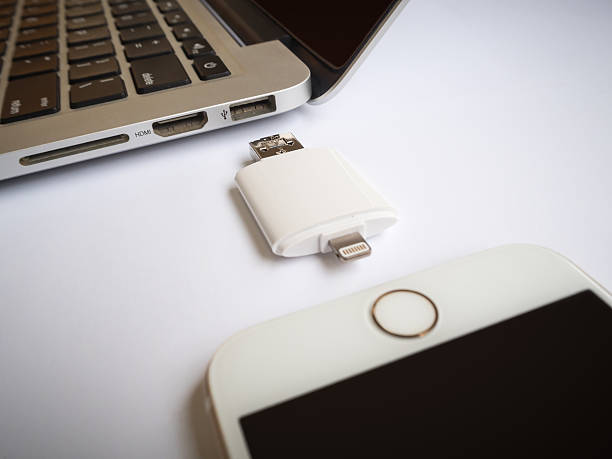
How to Backup iPhone to the Cloud
How to Backup iPhone to Cloud

An iPhone backup creates a snapshot of your device at a specific point in time. It includes various elements like:

  • Device Settings: This encompasses Wi-Fi passwords, Bluetooth connections, wallpaper, ringtones, and accessibility settings.
  • App Data: The backup saves the data associated with your installed apps, including game progress, login credentials, and personalized settings.
  • Photos and Videos: All your captured memories, downloaded images, and edited videos are securely stored in the backup.
  • Contacts and Call History: Your entire address book, including phone numbers, emails, and notes, is backed up. Additionally, your call history, including missed calls and voicemails, gets saved.
  • Messages: iMessages, SMS texts, and MMS messages, along with any attached photos or videos, are part of the backup.
  • Voice Memos: Any voice recordings you’ve captured on your iPhone are included in the backup.

It’s important to note that an iPhone backup does not include everything. For instance, currently downloaded apps themselves are not saved; only the app data is backed up.

Why Is a Backup Important?

Backing up your iPhone is crucial for several reasons, providing a safety net for your valuable data and settings in the face of various challenges. Here’s a deeper dive into the importance of iPhone backups:

1. Data Recovery in Case of Loss or Damage

This is perhaps the most critical reason for backups. Our iPhones hold a treasure trove of personal and professional information. Photos and videos capturing precious memories, essential contacts for work and personal life, irreplaceable notes and documents – losing these can be devastating.

report-ad-banner

In the unfortunate event of losing your iPhone due to theft, misplaced misplaced misplaced (change to misplaced to avoid repetition), or accidental damage, a backup ensures you don’t lose all that valuable data. With a recent backup, you can restore your information to a new device, minimizing the impact of the loss. Similarly, if your iPhone suffers water damage, fire damage, or a hardware malfunction that renders it unusable, a backup allows you to recover your data and settings when you get a replacement phone.

2. Software Issues and System Crashes

Technology isn’t perfect, and even iPhones can experience software glitches or system crashes. Sometimes, these issues can lead to data loss. Having a recent backup acts as a safeguard.

If your iPhone encounters a software problem that results in data loss, you can restore your device from a backup and get your information back. Additionally, software updates can occasionally go wrong, leading to unexpected issues.

A backup allows you to revert to a previous state if a new update causes problems on your iPhone.

3. Switching to a New iPhone

Upgrading to a new iPhone is an exciting experience. However, the prospect of manually transferring all your data and settings can be daunting.

A backup streamlines this process. By restoring a backup to your new iPhone, you can effortlessly transfer all your photos, messages, contacts, apps, and personalized settings to the new device. This saves you significant time and effort in setting up your new iPhone exactly how you like it.

4. Peace of Mind

Knowing your data is securely backed up provides a sense of peace of mind. You can use your iPhone freely, capturing memories, storing important documents, and managing your digital life, confident that your information is protected. In case of any unforeseen circumstances, a backup ensures you can recover your data quickly and get back on track with minimal disruption.

What are Three Ways to Back Up Your iPhone?

There are three primary methods to back up your iPhone:

  1. iCloud Backup: This is Apple’s built-in cloud storage service that allows you to back up your iPhone wirelessly.
  2. iTunes Backup: This traditional method utilizes your computer and iTunes software to create a local backup of your iPhone.
  3. Third-Party Cloud Storage Apps: Several third-party cloud storage providers offer apps that can back up your iPhone data.

How to Backup iPhone to the Cloud Using iCloud Backup?

How to Back Up iPhone to Cloud Using iCloud Backup
How to Backup iPhone to Cloud

iCloud Backup is a convenient and user-friendly option for backing up your iPhone wirelessly. Here’s how to do it:

  1. Connect to Wi-Fi: Ensure your iPhone is connected to a stable Wi-Fi network. iCloud backups require a good internet connection for successful completion.
  2. Go to Settings: Open the Settings app on your iPhone.
  3. Tap on Your Apple ID: At the top of the Settings menu, tap on your Apple ID.
  4. Access iCloud Settings: Select “iCloud” to access your iCloud settings.
  5. Enable iCloud Backup: Scroll down and tap on “iCloud Backup.” If it’s not already turned on, toggle the switch next to “Back Up This iPhone” to enable iCloud backups.
  6. Initiate Backup (Optional): To manually initiate a backup, tap on “Back Up Now.” Your iPhone will start creating a backup of your data to iCloud.

Automatic Backups: To schedule automatic backups, ensure your iPhone is connected to power, Wi-Fi, and locked. With iCloud Backup enabled, your iPhone will automatically back up daily.

Manage iCloud Storage: Free iCloud storage comes with limitations. You can check your remaining storage capacity in the “iCloud” settings. If you need more space for backups and other iCloud data, you can upgrade to a paid iCloud storage plan.

How to Backup iPhone with iTunes Backup?

While iCloud offers a convenient wireless solution, iTunes backup provides a local backup option on your computer. Here’s how to back up your iPhone with iTunes:

  1. Connect iPhone to Computer: Using a USB cable, connect your iPhone to your computer.
  2. Open iTunes: Launch the iTunes App.
  1. Locate Your Device: In the iTunes app, locate your iPhone icon that appears near the top left corner of the window.
  2. Access Summary Tab: Click on the iPhone icon to access the device summary page.
  3. Choose Backup Option: Under the “Backups” section, you’ll see two choices: “Back Up Now” and “Encrypt Backup” (optional).
  • Back Up Now: Clicking this button initiates a manual backup of your iPhone to your computer.
  • Encrypt Backup (Optional): This option allows you to encrypt the backup with a password, adding an extra layer of security for your sensitive data. If you choose to encrypt, create a strong password and remember it for future access.
  1. Wait for Completion: The backup process may take some time depending on the amount of data on your iPhone. It’s essential to keep your iPhone connected to the computer throughout the backup.

Benefits of iTunes Backup:

  • Local Storage: Having a local backup on your computer provides an additional layer of security and redundancy compared to solely relying on cloud storage.
  • Customization: iTunes allows you to choose whether to encrypt your backup and manage multiple backups on your computer.

Drawbacks of iTunes Backup:

  • Requires a Computer: This method isn’t ideal if you don’t have a readily available computer.
  • Manual Process: Manually initiating backups through iTunes can be inconvenient compared to automatic iCloud backups.
  • Management: Managing multiple iTunes backups on your computer can require additional storage space.

Where is the backup file located on my iPhone?

Unlike iTunes backups that are stored on your computer, iCloud backups are stored on Apple’s servers. You cannot directly access or view the backup file on your iPhone.

What is the best backup method for iPhone?

The best backup method depends on your individual needs and preferences. Here’s a breakdown to help you decide:

  • Choose iCloud Backup if:
    • You prefer a convenient and wireless solution.
    • You don’t have easy access to a computer.
    • You value automatic backups.
  • Choose iTunes Backup if:
    • You want a local copy of your backup on your computer for added security.
    • You need to manage multiple backups.
    • You prefer the ability to encrypt your backups.

Consider Combining Methods:

For maximum protection, consider using both iCloud Backup and iTunes Backup. This creates a layered approach, ensuring a copy of your data is stored both on Apple’s servers and your local computer.

How Often Should I Backup My iPhone?

How Often Should I Backup My iPhone
How to Backup iPhone to Cloud

The ideal backup frequency for your iPhone depends on how frequently your data changes and your tolerance for potential data loss. Here’s a breakdown to help you decide:

Daily Backups:

  • Recommended for:
    • Users who heavily utilize their iPhones and generate a lot of new data daily, such as photographers who capture numerous photos and videos, or business professionals who exchange a high volume of messages and documents.
    • Individuals with irreplaceable data on their iPhones, like personal recordings, voice notes, or creative projects.
  • Benefits: Provides the most up-to-date backup possible, minimizing potential data loss in case of a sudden issue. Offers peace of mind knowing your latest information is securely stored.
  • Drawbacks: May consume more iCloud storage space if you have a free plan.

Weekly Backups:

  • Recommended for:
    • Users who update their data regularly, but not necessarily daily. This could include individuals who capture photos and videos occasionally or those who update contacts and messages a few times a week.
  • Benefits: Strikes a balance between data protection and storage usage. Provides a recent backup without overwhelming your iCloud storage, especially if you have a limited plan.
  • Drawbacks: You might lose data created or updated in the days leading up to a backup if your iPhone encounters an issue.

Manual Backups Before Major Changes:

  • Recommended for:
    • All iPhone users, regardless of their regular backup routine. This is an additional safety measure before making significant changes to your device.
  • Scenarios:
    • Performing a major iOS update: New updates can sometimes introduce unforeseen bugs or compatibility issues. Having a recent backup allows you to revert to a previous stable version if necessary.
    • Resetting your iPhone to factory settings: This process erases all data from your device. A backup ensures you can restore your information and settings after the reset.
    • Selling or gifting your iPhone: Backing up your data before transferring ownership allows you to retain all your personal information while wiping the device clean for the new user.
  • Benefits: Provides an extra layer of protection for your data during potentially risky situations.
  • Drawbacks: Requires manual intervention and might be easily overlooked if not incorporated into a routine.

Remember, it’s always better to have a recent backup than none at all. By establishing a regular backup routine, you’ll ensure your valuable information is protected and readily recoverable in case of unforeseen circumstances.

How to Fix “This iPhone cannot be backed up because there is not enough iCloud storage” Problem?

If you encounter the frustrating message “This iPhone cannot be backed up because there is not enough iCloud storage available,” don’t worry! Here are some steps you can take to free up space and enable a successful backup:

  1. Analyze iCloud Storage:
  • Open the Settings app on your iPhone.
  • Tap on your Apple ID at the top.
  • Select iCloud.
  • Choose to Manage Storage.

This screen provides a breakdown of your iCloud storage usage. Identify the categories consuming the most space, such as Photos, iCloud Backup, or Documents & Data.

  1. Free Up iCloud Storage:
  • Optimize Photos and Videos: iCloud Photos offers an “Optimize Storage” option that stores full-resolution photos and videos in iCloud while keeping space-saving versions on your device. This allows you to access your entire library without consuming excessive local storage.
  • Delete Unnecessary Backups: If you have old backups from previous devices, you can delete them to free up space. Go to Backups under Manage Storage and choose the unwanted backup. Tap on Delete Backup to confirm.
  • Manage App Data: Some apps might store large amounts of data in iCloud. Review the list under Documents & Data and identify apps you can manage. You can choose to offload the app (remove the app itself but keep its data in iCloud) or delete its data entirely.
  1. Upgrade iCloud Storage (Optional):

If the free 5GB of iCloud storage isn’t enough, consider upgrading to a paid plan. Apple offers various storage tiers starting from 50GB, which can comfortably accommodate backups for most users.

  1. Consider Alternative Backup Options:
  • iTunes Backup: If you have a computer, explore backing up your iPhone with iTunes. This method stores the backup locally on your computer, freeing up iCloud space.
  • Third-Party Cloud Storage: Several cloud storage providers like Google Drive or Dropbox offer backup solutions for your iPhone. However, these might not offer the same level of integration with your Apple ecosystem as iCloud Backup.

Key Takeaways

Key Takeaways

  • Backing up your iPhone to iCloud is a breeze! Just connect to Wi-Fi, go to Settings > your Apple ID > iCloud > iCloud Backup, and turn on “Back Up This iPhone”. 
  • To manually back up now, tap “Back Up Now”. 
  • Automatic backups happen daily when your iPhone is connected to power, Wi-Fi, and locked.
  • Regularly backing up your iPhone protects your data from loss due to theft, damage, or software issues.
  • iCloud Backup offers a convenient wireless solution, while iTunes Backup provides a local copy on your computer.

FAQs About How to Backup iPhone to Cloud

How do I backup my entire iPhone to the cloud?

To backup your entire iPhone to the cloud, navigate to Settings, tap on your name, select iCloud, then iCloud Backup. Toggle on “iCloud Backup” and tap “Back Up Now.”

How do I move everything from my iPhone to the cloud?

To move everything from your iPhone to the cloud, ensure iCloud Backup is enabled in Settings under your name, then iCloud. Initiate a backup, ensuring all data is included.

How do I backup my iPhone to a new iPhone?

Backup your iPhone to a new iPhone by restoring from iCloud Backup during the setup process on your new device. Choose the most recent backup to transfer all your data.

Does iPhone backup include photos?

Yes, iPhone backups typically include photos if iCloud Photo Library is enabled. Ensure it’s toggled on in Settings under your name, then iCloud, and Photos.

Can you transfer to a new iPhone without backup?

Yes, you can transfer to a new iPhone without a backup by using iCloud or Quick Start. These methods allow data transfer directly between devices without relying on a prior backup.


Share this:

  • Share on LinkedIn (Opens in new window) LinkedIn
  • Share on Reddit (Opens in new window) Reddit
  • Share on X (Opens in new window) X
  • Share on Facebook (Opens in new window) Facebook
  • More
  • Email a link to a friend (Opens in new window) Email
  • Share on WhatsApp (Opens in new window) WhatsApp

Related

Tags: Backup iPhoneBackup iPhone to CloudHow to Backup iPhone to CloudiPhone Backup to CloudThe Cyber Express
Previous Post

Bug in IBM’s Enterprise Terminal Could Allow Attackers Fully Privileged Access

Next Post

Leveraging Defensive AI to Safeguard Organizations against Data Corruption

Next Post
Data Loss

Leveraging Defensive AI to Safeguard Organizations against Data Corruption

Sectoral Threat Reports

❮ ❯
Cyble-Vision


Follow Us On Google News

Latest Cyber News

Signal Proxy, Signal, Signal Ban in Russia, Signal Ban in Venezuela, Bypass Signal Ban, How to Activate Signal Proxy, Signal Proxy Server
Cyber News

Not a Signal Flaw: iPhone Notifications Became a Backdoor for Deleted Messages

April 10, 2026
Gulf cybersecurity
Firewall Daily

Iran Crisis Highlights Rising Gulf Cybersecurity Risks to Critical Infrastructure

April 10, 2026
TotalRecall
Firewall Daily

Microsoft Recall Flaw Exposes Decrypted User Data, Researchers Find

April 10, 2026
KYC Rules for Robocalls
Cyber News

FCC Proposes Tougher KYC Rules to Crack Down on Illegal Robocalls

April 10, 2026

Categories

Web Stories

Do This on Telegram, Your Bank Account Will Become Zero
If You Install the iOS 18 Beta, Your iPhone Could Be Hacked
Cricket World Cup Ticketing Systems Under Cybersecurity
Cyber Threats and Online Ticket Scams During the NBA Finals
Biometric Data Security: Protecting Sensitive Information

About

The Cyber Express

#1 Trending Cybersecurity News and Magazine

The Cyber Express is a handbook for all stakeholders of the internet that provides information security professionals with the latest news, updates and knowledge they need to combat cyber threats.


Contact

For editorial queries: [email protected]

For marketing and Sales: [email protected]


Quick Links

  • About Us
  • Contact Us
  • Editorial Calendar
  • Careers
  • The Cyber Express by Cyble Vulnerability Disclosure Policy
  • Cyble Trust Portal

Our Address

We’re remote friendly, with office locations around the world:

San Francisco, Atlanta, Rome,
Dubai, Mumbai, Bangalore, Hyderabad,  Singapore, Jakarta, Sydney, and Melbourne


Headquarters:

The Cyber Express LLC
10080 North Wolfe Road, Suite SW3-200, Cupertino, CA, US 95014


India Office:

Cyber Express Media Network
HD-021, 4th Floor, C Wing, Building No.4. Nesco IT Park, WE Highway, Goregaon East, Mumbai, Maharashtra, India – 4000063

  • Privacy Statement
  • Terms of Use
  • Write For Us

© 2026 The Cyber Express - Cybersecurity News and Magazine.

Welcome Back!

Login to your account below

Forgotten Password?

Retrieve your password

Please enter your username or email address to reset your password.

Log In

Add New Playlist

No Result
View All Result
  • Magazine
  • Firewall Daily
  • Essentials
    • Regulations
    • Compliance
    • Governance
    • Policy Updates
  • Knowledge Hub
  • Features
    • Cyber Warfare
    • Espionage
    • Workforce
      • Learning & Development
  • Business
    • Startups
    • Mergers & Aquisitions
    • Partnerships
    • Appointments
    • Budgets
    • Research
      • Whitepapers
      • Sponsored Content
      • Market Reports
    • Interviews
      • Podcast
  • Events
    • Conference
    • Webinar
    • Endorsed Events
  • Advisory Board

© 2026 The Cyber Express - Cybersecurity News and Magazine.

Are you sure want to unlock this post?
Unlock left : 0
Are you sure want to cancel subscription?
-
00:00
00:00

Queue

Update Required Flash plugin
-
00:00
00:00
Do This on Telegram, Your Bank Account Will Become Zero If You Install the iOS 18 Beta, Your iPhone Could Be Hacked Cricket World Cup Ticketing Systems Under Cybersecurity Cyber Threats and Online Ticket Scams During the NBA Finals Biometric Data Security: Protecting Sensitive Information